
A friend of mine runs a small physio clinic. Three people, one front desk, a waiting room that smells of eucalyptus. Last month she asked me which marketing automation for small business she should buy, because "everyone online says something different". She had seven tabs open. Every one of them was a list written by a company that ranked itself first.
Here's the short answer I gave her. Marketing automation for small business means emails and follow-ups that send themselves when someone does something: signs up, books, buys, goes quiet. Pick one email or CRM tool, build two workflows, and only add a connector like Zapier, Make or n8n when a real gap shows up. Below are the nine tools worth a look, what they actually cost once automation switches on, and the first five workflows to build.
I spent five years growing Moosend, an email marketing and automation platform, so I've read more automation pricing pages than is healthy for one person. These days I build AI automation and agents for marketing teams. Nobody on this list pays me, and you'll see that in the unflattering bits.
What marketing automation for small business actually means
Marketing automation is software that sends the right message when a customer does something, without you pressing send. A signup triggers a welcome email, a quote request triggers a follow-up, a quiet customer triggers a "still there?" note. For a small business it replaces the sticky notes and the "I'll email them tomorrow" that never happens.
Every marketing automation system has the same three parts: a trigger (something happens), steps (wait two days, send email, tag the contact) and conditions (only if they haven't booked yet). That's it. The rest is marketing. If you want the wider picture beyond marketing, I wrote up what AI automation is and where it pays off.
The part nobody tells you: the tools bill you on completely different meters, so the same workflow costs different amounts depending on where you build it. Zapier counts every successful action as a task, but triggers, filters, formatters and paths are free (Zapier pricing). Make charges credits per module, and reading data from a webhook counts too. n8n bills one execution per full run, however many steps it has.
You'll see plenty of advice that "Zapier fees add up per task". True, but incomplete. Triggers don't count, filters don't count, and the meter only bites on actions. Compare tools by the cost of one real workflow, not the starting price. I do the maths further down.
Marketing automation vs email marketing vs a CRM vs Zapier-style tools
These four get mixed up constantly, and vendors are happy to keep it that way. Email marketing is one-off sends: a newsletter, a promo. Marketing automation is the same emails, sent by triggers. A CRM is the address book with history: who the person is, what they bought, what stage they're in. A connector (Zapier, Make, n8n) is the plumbing that moves data between apps that don't talk to each other.
In 2026 the lines are blurry. Most email tools now have automation and a light CRM. HubSpot is a CRM that also does email. The caps tell you what each one really is: HubSpot Free allows 1 automated email action, Starter up to 10, Professional unlimited (HubSpot pricing). That's a CRM telling you, politely, that automation is the upsell.
Most small businesses don't need a marketing suite. They need a welcome email that actually sends.
How I picked these marketing automation tools
I picked these marketing automation tools for small businesses on four things that matter when you have no ops person: the first plan that includes real automation, the step or action cap on that plan, the billing meter (contacts, tasks, credits or executions), and how much setup a non-technical owner can handle in an afternoon. Prices were checked on 18 November 2026.
Free plans got no extra points. Several of them don't include automation at all, which is a bit like a free car with no wheels. I also left out the enterprise suites that hide prices behind "talk to sales". If a tool can't tell a three-person business what it costs, it isn't for a three-person business.
The list is independent. I write about this stuff on growthvibes.ai and I build automations for clients, but none of these vendors sponsor anything here.
The best marketing automation software for small business at a glance
The best marketing automation software for small business depends on what you sell. Brevo for service businesses on a budget, Mailchimp for a tiny first list, ActiveCampaign for lead nurturing, Kit for creators, Klaviyo for online stores, HubSpot if you want the CRM too, and Zapier, Make or n8n to connect everything else.
| Tool | Type | First plan with automation (18 Nov 2026) | Free plan | Best for |
|---|---|---|---|---|
| Brevo | Email + CRM | Standard, $18/mo | Yes, but no automation | Service businesses on a budget |
| Mailchimp | Essentials $13/mo (4 steps), Standard $20/mo (200 steps) | Under 250 contacts | A first, tiny list | |
| ActiveCampaign | Email + CRM | Starter $15/mo yearly, 1,000 contacts, 5 actions | No | Lead nurturing |
| Kit | Email for creators | Creator $33/mo, 1,000 subscribers | Up to 10,000 subs, no automations | Newsletters and creators |
| Klaviyo | E-commerce email | Email $20/mo, 500 profiles | 250 profiles, 500 emails | Online stores |
| HubSpot | CRM suite | Starter $20/seat/mo ($7 promo), 10 email actions | 1 email action | CRM and marketing together |
| Zapier | Connector | Professional from $19.99/mo | 100 tasks, two-step Zaps | Connecting apps with no code |
| Make | Connector | Core $12/mo, 10,000 credits | 1,000 credits, 2 scenarios | Cheap multi-step flows |
| n8n | Connector + AI | Starter $20/mo yearly, 2,500 executions | Self-hosted Community Edition | Owning the workflow |
The headline price is rarely the price you'll pay. The real gate is the first tier with the automation you need, and its step cap. That's the column to read.
1. Brevo: best for a service business on a budget
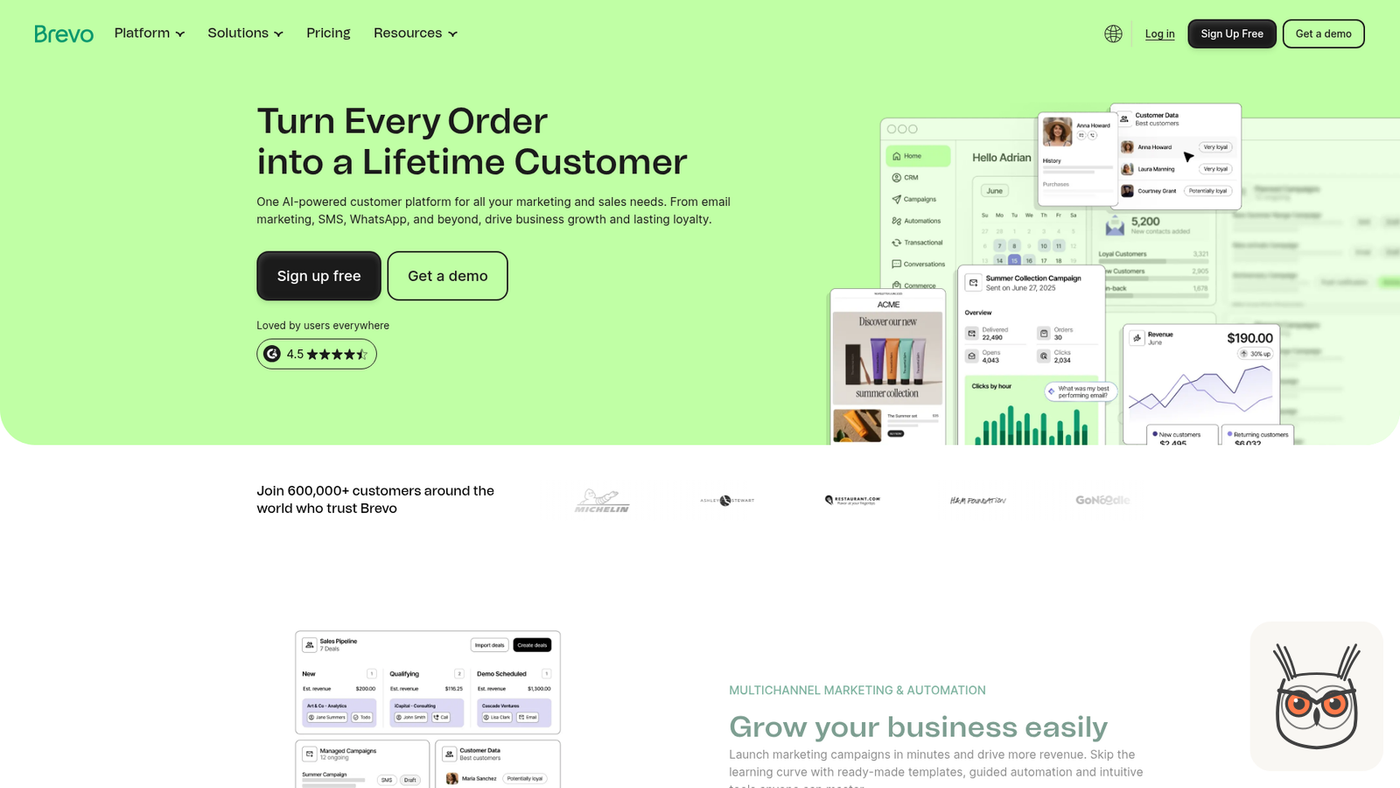
Brevo is the one I'd hand to a small service business that wants email, SMS and a basic CRM without a scary bill. Ignore the Free plan for automation, it has none. The Standard plan at $18 a month unlocks unlimited multi-step workflows, which is the cheapest real entry on this list for a business with a few hundred contacts.
- Best for: clinics, agencies, trades, local services with a few hundred to a few thousand contacts.
- Pricing (18 Nov 2026): Free has no marketing automation. Standard $18/mo monthly, $16.17/mo billed yearly (Brevo pricing).
- Automation cap: unlimited automated, multi-step workflows on Standard.
- Free plan: yes, for sending, not for automating.
- Where it breaks: the free-to-paid jump catches people who signed up "for free" and then went looking for the workflow builder.
- Skip it if: you run an online store that lives on product recommendations. Klaviyo is built for that.
- The skeptic's take: "free" is the marketing, Standard is the product.
- What changed: the Starter plan now lists an MCP connection for ChatGPT and Claude and an AI content generator, so you can draft from an AI assistant straight into Brevo.
My read is that Brevo is the sensible default for a service business. It's not glamorous. It does the job, and $18 a month for unlimited workflows is hard to argue with. Its signup forms can also trigger a follow-up email the moment someone joins, which covers workflow one below without any plumbing.
If your small business marketing automation plan is "welcome email, review request, done", this is where I'd start.
2. Mailchimp: best for a first, tiny email list
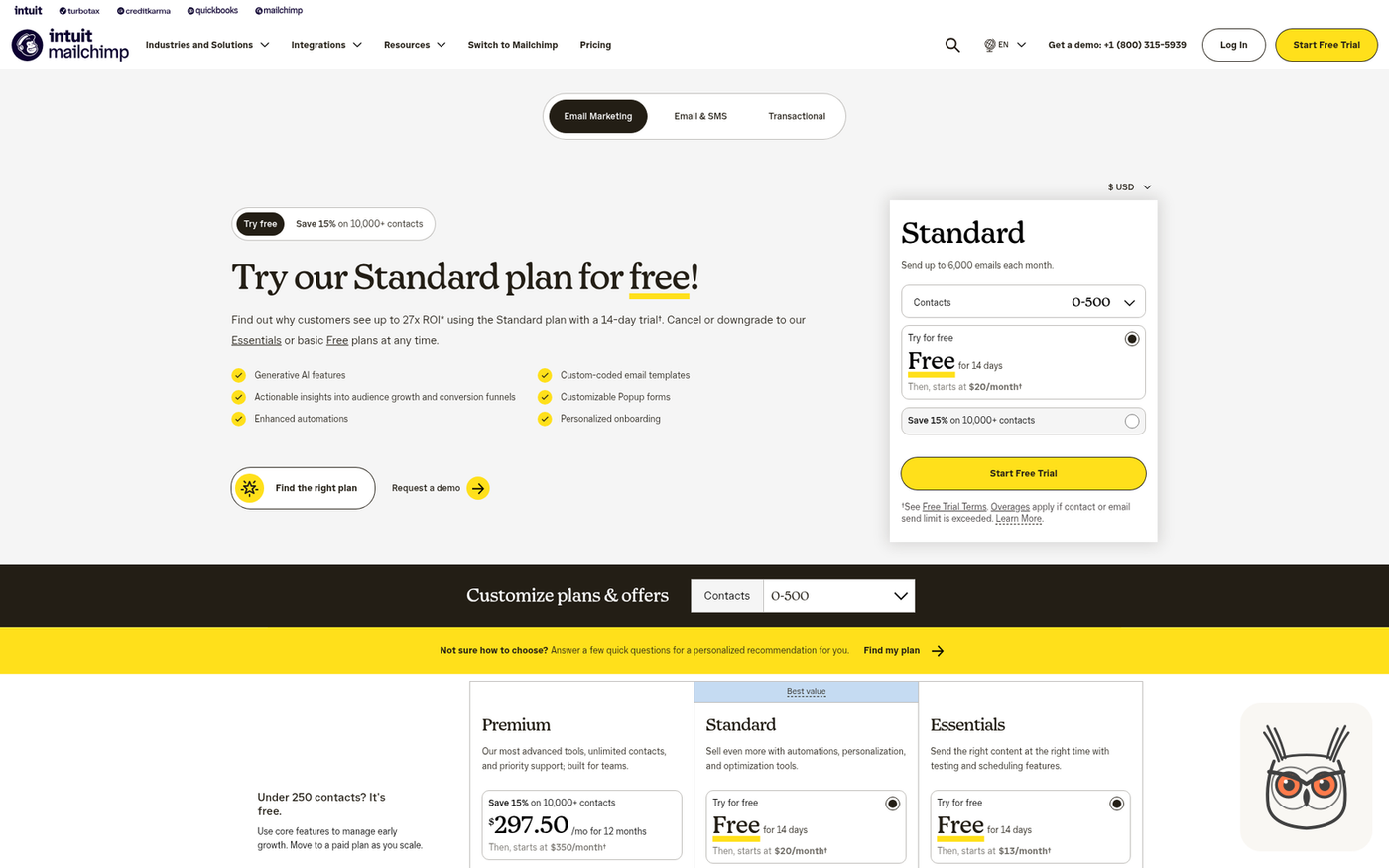
Mailchimp is the name everyone knows, and for a business with under 250 contacts the free plan is a fine place to learn. The catch is the step cap. Essentials at $13 a month limits flows to 4 steps, so anything beyond a short welcome series pushes you to Standard at $20 with up to 200 steps.
- Best for: a first list, a café or a shop that sends a monthly newsletter and one welcome email.
- Pricing (18 Nov 2026): Free under 250 contacts. Essentials from $13/mo, Standard from $20/mo (Mailchimp pricing).
- Automation cap: 4 steps per flow on Essentials, up to 200 steps with branching on Standard and Premium.
- Free plan: yes, for fewer than 250 contacts.
- Where it breaks: the 4-step cap. A welcome series with a wait between each email burns through it fast.
- Skip it if: you already know you need branching ("if they clicked, send A, else B"). Go straight to Standard or pick another tool.
- The cost view: the price climbs with contacts, so the $20 figure is the bottom of the slider, not the bill.
Full disclosure, Mailchimp was our biggest competitor at Moosend. "Mailchimp alternatives" was literally the first content pillar we built, because so many of its users were ready to switch. So take my view with a grain of salt, but here it is: it's a good first tool and a slightly annoying second one. Count your steps before you pick Essentials.
3. ActiveCampaign: best for lead nurturing with real logic
ActiveCampaign is the one to look at when your sales cycle has steps: an enquiry, a quote, a call, a decision. It has proper automation logic and a CRM, and abandoned cart is included on every plan. The Starter plan is $15 a month billed yearly at 1,000 contacts, but it caps each automation at 5 actions and email only.
- Best for: B2B services, consultants, small SaaS and anyone nurturing leads over weeks.
- Pricing (18 Nov 2026): Starter $15/mo billed yearly at 1,000 contacts, Plus $49/mo (ActiveCampaign pricing).
- Automation cap: 5 actions per automation on Starter, email only.
- Free plan: no.
- Where it breaks: 5 actions is one short nurture sequence. A real lead flow with waits, tags and an owner alert hits the ceiling quickly.
- Skip it if: you only want a newsletter. You'd be paying for logic you never use.
- The skeptic's take: Starter is a demo with a price tag. Plan for Plus.
- What changed: it now lists Claude and ChatGPT via MCP on every plan.
If leads are your business, this is the tool built around them. I'd budget for Plus at $49 from day one rather than discover the 5-action wall in week two. It's also the one I'd pick for marketing automation in a small B2B team that has a sales step, because the CRM and the flows live in the same place.
4. Kit: best for creators and newsletter-led businesses
Kit (the tool formerly known as ConvertKit) is built for people whose business is their audience: newsletters, courses, coaches, podcasters. The free plan is generous on size, up to 10,000 subscribers, but it has no visual automations or sequences. Automation starts on Creator at $33 a month for 1,000 subscribers.
- Best for: creators, coaches, course sellers, anyone selling to a newsletter.
- Pricing (18 Nov 2026): Free up to 10,000 subscribers. Creator $33/mo at 1,000 subscribers (Kit pricing).
- Automation cap: unlimited visual automations on Creator.
- Free plan: yes, with no automation builder.
- Where it breaks: abandoned checkout flows need Creator or higher, and $33 is the priciest entry of the email tools here.
- Skip it if: you're a local service business. You're paying for creator features you don't need.
- The cost view: 10,000 free subscribers sounds like a lot until you realise you can't automate a single one of them.
Kit's free plan is a lovely place to grow a list and a terrible place to nurture one. If you sell to an audience, pay for Creator and stop pretending a newsletter is a funnel.
5. Klaviyo: best for e-commerce stores
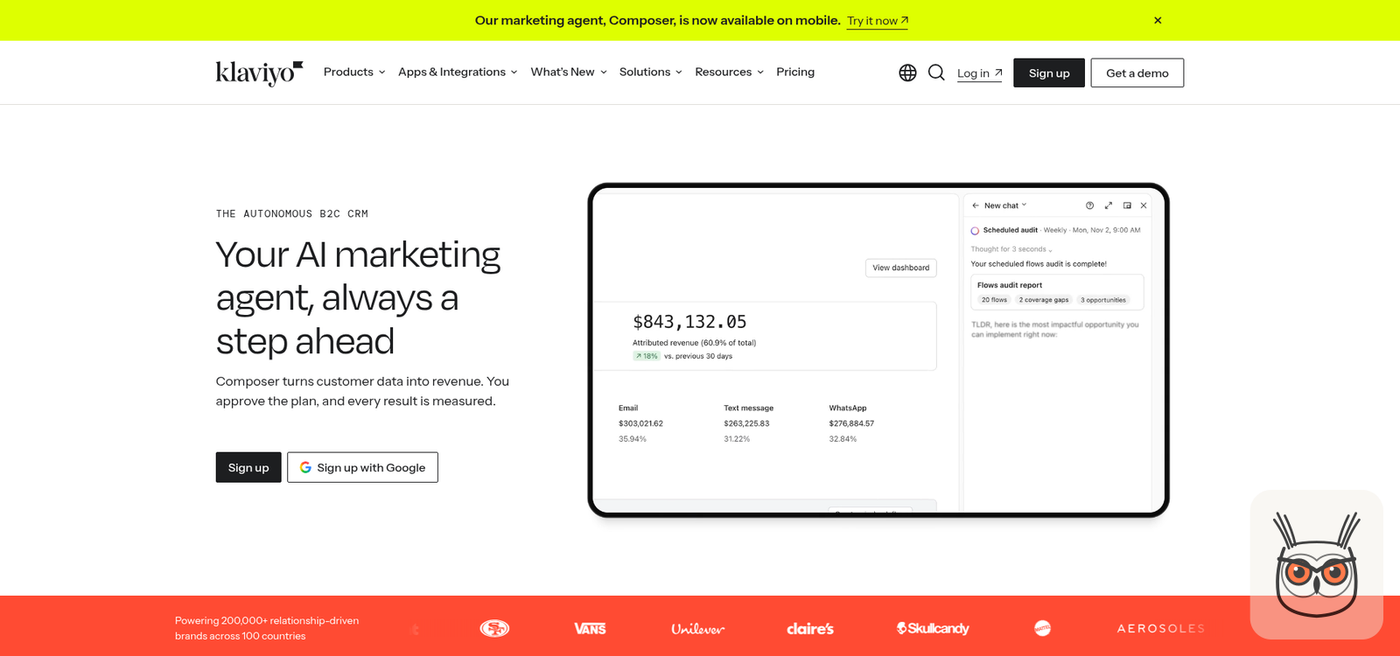
Klaviyo is the default for online stores, and for good reason: it's built around orders, carts and product data rather than contact lists. The free plan covers 250 active profiles and 500 emails a month, enough to test a welcome and an abandoned cart flow. The Email plan is $20 a month for 500 profiles.
- Best for: Shopify and other online stores where revenue comes from carts and repeat orders.
- Pricing (18 Nov 2026): Free for 250 active profiles and 500 emails a month. Email $20/mo for 500 profiles (Klaviyo pricing).
- Automation cap: flows are included; the limit that bites is profiles.
- Free plan: yes, small.
- Where it breaks: pricing grows with profiles, so a store with a big but sleepy list pays for people who never open.
- Skip it if: you don't sell online. It's an e-commerce tool, and it shows.
- What changed: the home page now leads with an AI marketing agent called Composer, where you approve the plan and every result is measured.
For a store, the abandoned cart flow alone usually justifies the tool. Clean the list before you import it, though. Paying monthly for 3,000 people who bought once in 2021 is a very expensive way to feel popular.
6. HubSpot: best for CRM and marketing in one place
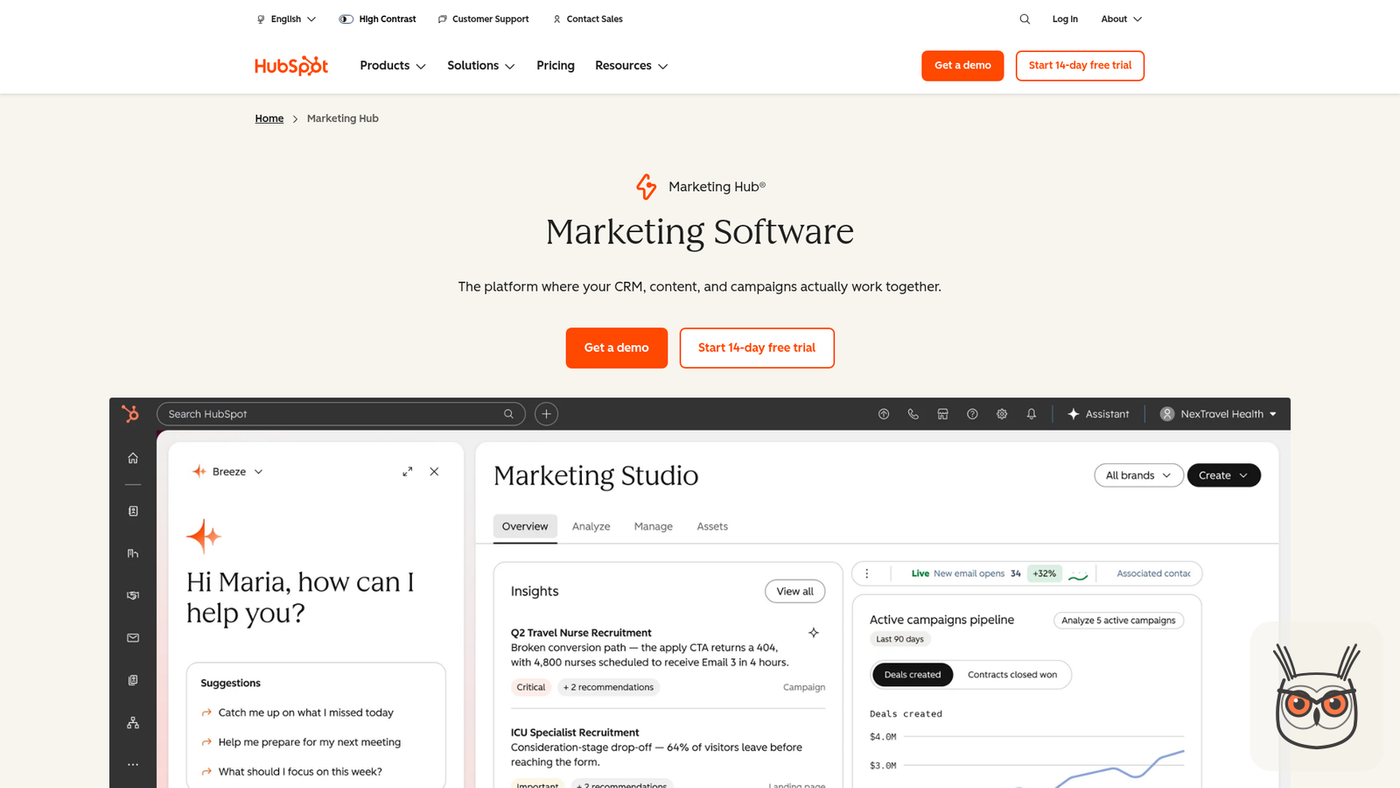
HubSpot makes sense when the CRM is the point and email is the add-on. Marketing Hub Starter shows $7 a month per seat as a new-customer promo against a regular $20, with up to 10 automated email actions. Then there's a cliff: Professional starts at $800 a month plus a $3,000 onboarding fee.
- Best for: small B2B teams that want contacts, deals and email in one place and expect to grow.
- Pricing (18 Nov 2026): Starter $20/seat/mo ($7 new-customer promo). Professional from $800/mo plus a required $3,000 one-time onboarding (HubSpot pricing).
- Automation cap: 1 automated email action on Free, up to 10 on Starter, unlimited on Professional.
- Free plan: yes, a good free CRM with very little automation.
- Where it breaks: the jump from Starter to Professional. That's the moment small businesses discover what "enterprise pricing" feels like.
- Skip it if: all you need is a welcome series and a review request. Brevo does that for a fraction.
- The cost view: Starter is cheap, the plan with real automation is a car payment.
I like HubSpot's free CRM a lot, and I'd happily start a small sales team on it. But 10 automated actions is a taste, not a meal. If you can see yourself needing Professional within a year, do the maths now, not when the renewal email arrives.
7. Zapier: best for connecting apps without code
Zapier is the connector for people who never want to see a line of code. It has the biggest app catalogue, 9,000+ integrations, which matters more than price when your booking tool is obscure. The free plan is tight: 100 tasks a month, two-step Zaps and 15-minute polling. Professional starts at $19.99 a month.
- Best for: non-technical owners whose apps don't connect on their own: a booking tool to an email list, a form to a spreadsheet.
- Pricing (18 Nov 2026): Free 100 tasks/mo. Professional from $19.99/mo (Zapier pricing).
- Billing meter: each successful action is a task. Triggers, filters, formatters, paths and delays are free.
- Free plan: yes, two-step Zaps only.
- Where it breaks: volume. Every action per lead is a task, so a busy flow grows the bill line by line.
- Skip it if: you're comfortable with a visual builder and want lower per-run costs. Make or n8n will be cheaper.
- The cost view: live chat support only starts at the 2,000-task tier, so on the cheap plans you're on your own.
Zapier is the easiest, and you pay for the easy. For a small business with a handful of leads a day it's fine. I wrote a longer comparison of business automation software if you're weighing it against bigger platforms.
8. Make: best for cheap multi-step flows
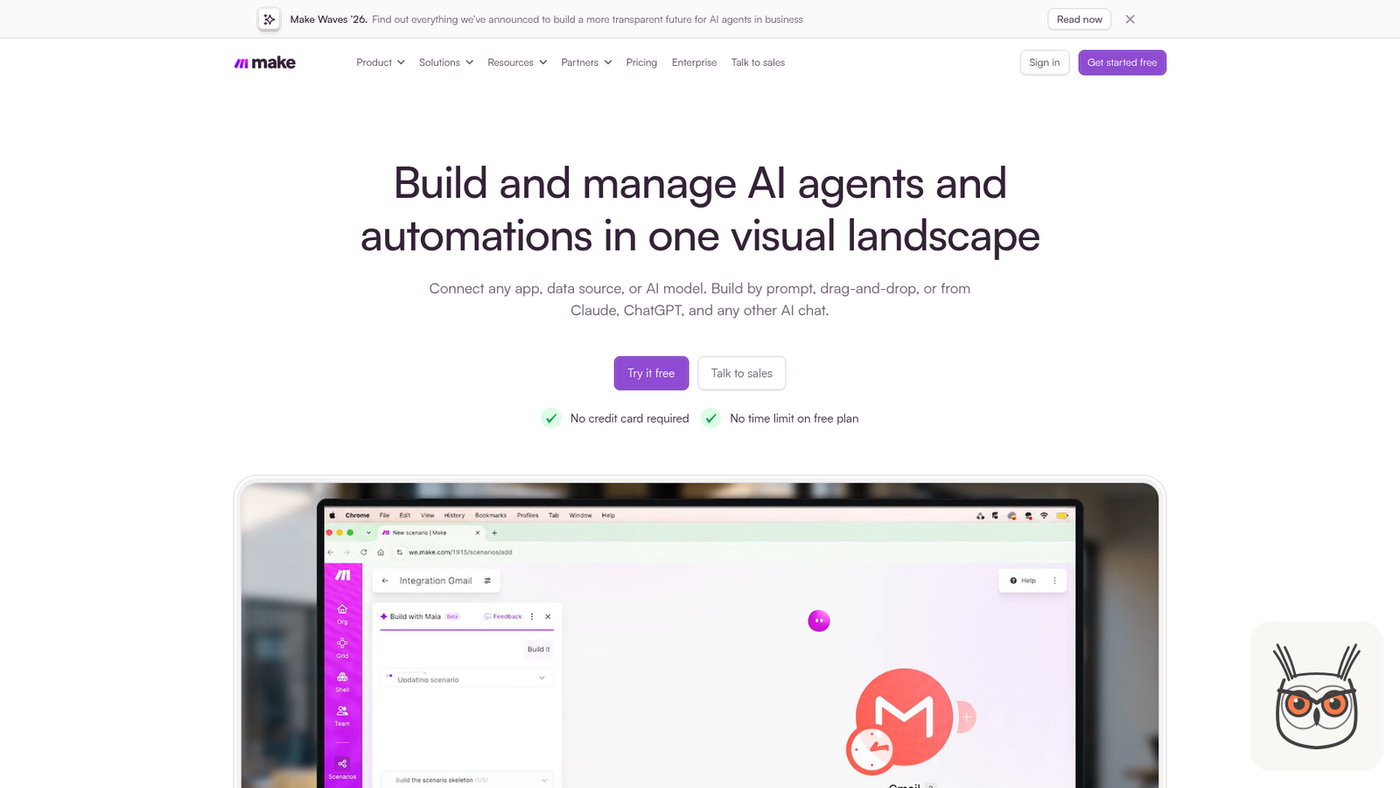
Make is the visual one: you drag modules onto a canvas and watch the data flow between them. It's cheaper than Zapier for multi-step flows. The free plan gives 1,000 credits a month and 2 active scenarios, and Core is $12 a month for 10,000 credits. The catch is that every module action costs a credit, including reading the webhook.
- Best for: owners or freelancers who like a visual builder and run flows with several steps.
- Pricing (18 Nov 2026): Free 1,000 credits, 2 active scenarios, 15-minute minimum interval. Core $12/mo for 10,000 credits (Make pricing).
- Billing meter: credits per module action. Router and error handler modules are free.
- Free plan: yes, two active scenarios.
- Where it breaks: the canvas gets crowded. A flow with 20 modules is a bowl of spaghetti with arrows.
- Skip it if: you need the widest app catalogue. Zapier still wins there.
- The skeptic's take: cheap per credit, but you pay for the trigger read too, so count every module.
My read: Make is the best value connector for a small business that's outgrown Zapier's free plan but doesn't want to host anything. $12 for 10,000 credits goes a long way if you count your modules.
9. n8n: best for owning the workflow (and the AI steps)
n8n is what I use myself. It bills one execution per full workflow run, however many steps it has, so long flows are cheap. Starter is $20 a month billed yearly for 2,500 executions, and the Community Edition is free if you host it. It's the connector I'd pick for marketing automation that includes AI agents.
- Best for: businesses with a technical person (or a freelancer) who want to own their workflows, add AI steps, and not pay per action.
- Pricing (18 Nov 2026): Starter $20/mo billed yearly, 2,500 executions, 5 concurrent. Pro $50/mo for 10,000 (n8n pricing).
- Billing meter: one execution per run, whatever the step count.
- Free plan: the self-hosted Community Edition.
- Where it breaks: it's the most technical tool here, and support is forum only below Enterprise.
- Skip it if: nobody on your team will ever open a workflow to fix it. A broken flow you can't read is worse than no flow.
- What changed: Starter now includes agents, MCP and AI nodes, so AI steps are part of the base plan.
I built a weekly n8n workflow for a client that turns a promotions feed into about 200 ads a week and gives the team about 8 hours a week back. Only 1 of its 6 stages calls an AI model; the rest is plain logic. I wrote up how I built that n8n ads agent step by step. n8n rewards you for building properly, and punishes you for not having anyone who can.
Which marketing automation small business tool fits you? By business type and budget
The right marketing automation small business tool depends on two things: what you sell and who will maintain it. Service businesses should start with Brevo, online stores with Klaviyo, lead-driven B2B with ActiveCampaign or HubSpot, creators with Kit. Add a connector only when two apps refuse to talk.
| If you are... | Start with | Add later, if needed | Why |
|---|---|---|---|
| A local service business (clinic, trades, salon) | Brevo Standard | Zapier for the booking tool | Cheapest unlimited workflows, forms trigger emails |
| An online store | Klaviyo | Make for anything Klaviyo doesn't connect | Built on carts, orders and product data |
| A B2B service or small SaaS with a sales step | ActiveCampaign Plus or HubSpot Starter | n8n for lead routing and AI steps | CRM and flows in one place |
| A creator, coach or newsletter business | Kit Creator | Zapier for course or payment tools | Built for audiences, not contact lists |
| Tiny list, just starting | Mailchimp Free | Brevo when you outgrow 250 contacts | Free until you need more than a few steps |
The pattern most lists miss: start with one email or CRM tool and two workflows. Most "best tool" lists push the biggest suite because that's where the affiliate payout is. You'll get more out of a cheap tool with two working flows than an expensive one with twelve half-built ones.
I've seen this play out more than once. A small team buys the all-singing platform, spends a month in onboarding calls, builds nothing, and quietly goes back to sending emails from Gmail. The tool was fine. The plan was "buy first, think later".
What marketing automation costs, and the free plans worth using
For most small businesses, marketing automation costs about $18 to $32 a month in tools, based on list prices on 18 November 2026. The bigger cost is the hours to build the flows and keep an eye on them. Free plans are worth using for learning, but several of them include no automation at all.
Here are three example stacks, using list prices. They're examples, not quotes: prices climb with your contact count, and overages aren't included.
| Business (example size) | Stack | Monthly total |
|---|---|---|
| Service business, about 500 contacts | Brevo Standard ($18, monthly) | $18 |
| Small team, about 1,000 contacts plus a connector | ActiveCampaign Starter ($15, yearly) + Make Core ($12) | $27 |
| E-commerce, 500 profiles | Klaviyo Email ($20) + Make Core ($12) | $32 |
Now the meter maths I promised. Take one lead flow: form submission, create a CRM contact, send a follow-up email, alert the owner. At 300 leads a month, that's 900 Zapier tasks (3 actions per lead), 1,200 Make credits (4 per lead, because reading the trigger counts) or 300 n8n executions (one per run).
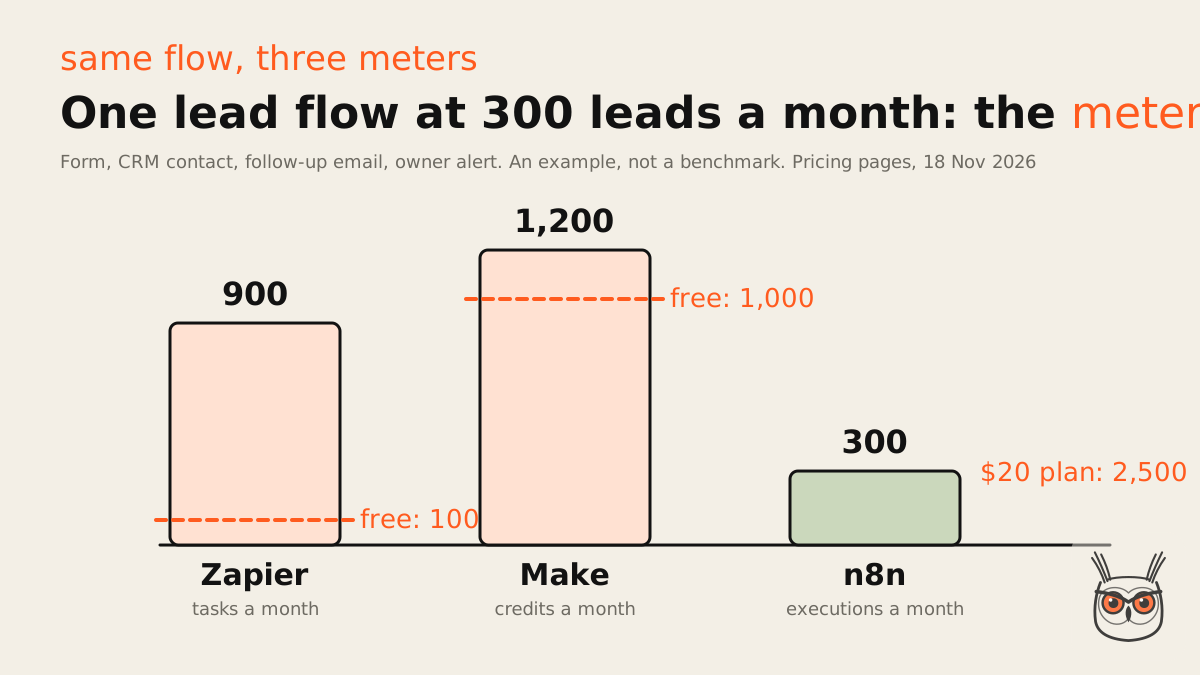
So Zapier's free 100 tasks are gone after 33 leads, roughly day four. Make's free 1,000 credits last until about day 25. n8n's $20 Starter covers the month more than eight times over. None of the top guides price the same workflow across the three meters. They quote starting prices, which tell you almost nothing.
The free plans worth using, ranked:
- Mailchimp Free: real if you have under 250 contacts and want to learn.
- Klaviyo Free: enough to test a welcome and cart flow with 250 profiles.
- Make Free: 1,000 credits and 2 scenarios is a proper sandbox.
- HubSpot Free: a great free CRM, with 1 automated email action.
- Brevo Free and Kit Free: good for sending, but no automation, so they don't count for this.
The first five marketing automations to set up
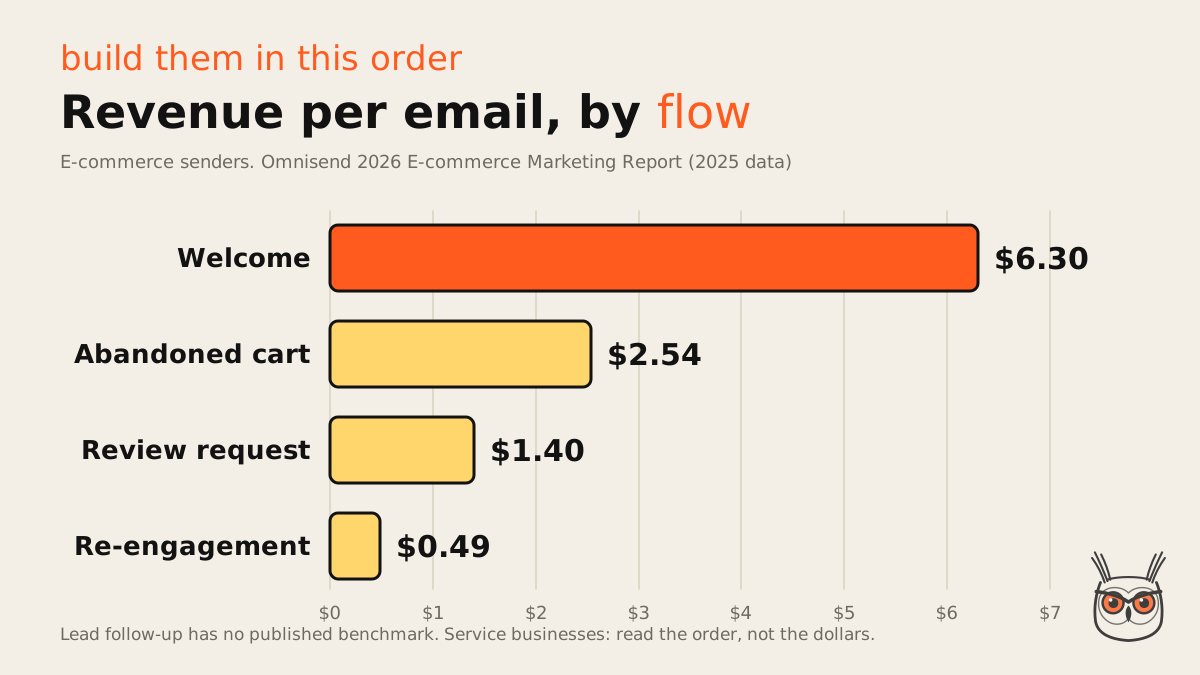
Build these five marketing automations in this order: a welcome series, a lead follow-up, an abandoned cart or quote follow-up, a review request and a re-engagement flow. The order follows yield. In Omnisend's data, welcome emails earn $6.30 each and lapsed-customer emails $0.49, and welcome plus cart drive 76% of automation orders.
Those numbers come from Omnisend's 2026 e-commerce marketing report, so they're e-commerce senders only, and the report's own table caption says 2024 while its text says 2025. I only found one source for this ranking, so read it as an order, not a promise. The bigger headline from the same report: automations were 2% of sends and 30% of revenue, $2.87 per send against $0.18 for regular campaigns.
None of the top-ranking guides rank these flows by what they earn. They list tools and stop. If you want the broader version of "what to automate first" across the whole business, not only marketing, I covered which processes to automate first.
1. Welcome series for new subscribers or leads
The welcome series is the highest-earning email you'll ever automate, and the easiest to build. Someone joins your list or fills a form, and they get a short sequence that says hello, sets expectations and gives them one useful thing.
- Trigger: new subscriber or form submission.
- Steps: send welcome now, wait 2 days, send your best resource or offer, wait 3 days, send a "reply and tell me what you need" email.
- Tools: any of the email tools above. Brevo forms trigger this natively; Mailchimp Essentials fits it inside 4 steps if you keep it to two emails and one wait.
- What goes wrong: the welcome email arrives a week later because the double opt-in confirmation went to spam. Test it with your own address.
Write it like a person, sign it with a name, and let replies reach a real inbox. A welcome email from "noreply@" is a door slammed in a nice font.
2. Lead capture to CRM plus instant follow-up
For service businesses this one matters more than the welcome email, even if nobody publishes a benchmark for it. Someone asks for a quote or a call, and the speed of your reply decides a lot. The flow makes sure every lead lands in the CRM and gets an answer within minutes, not when you're back from lunch.
- Trigger: contact form, booking request or quote request.
- Steps: create or update the CRM contact, tag the source, send an instant "got it, here's what happens next" email, alert the owner by email or Slack.
- Tools: ActiveCampaign or HubSpot on their own; Zapier, Make or n8n if your form and CRM don't connect.
- What goes wrong: duplicate contacts when the same person fills the form twice. Match on email address before creating.
There's no published yield number for this flow, and I'd be suspicious of anyone quoting one. If you want to go further and have an AI draft the reply or qualify the lead, that's where AI sales agents come in.
3. Abandoned cart or quote follow-up
The abandoned cart flow earns $2.54 per email in Omnisend's data, second only to welcome. For a store, it's the one that pays for the tool. For a service business, the equivalent is the sent quote that nobody answered.
- Trigger: cart abandoned for 1 hour, or a quote sent with no reply after 3 days.
- Steps: reminder with the items or quote, wait 1 day, a second note that answers the usual objection (delivery time, price, "is this right for me").
- Tools: Klaviyo for stores; ActiveCampaign includes abandoned cart on every plan; Kit needs Creator or higher.
- What goes wrong: the reminder fires after they already bought, because the purchase event didn't sync. Always add the exit condition "has purchased".
Skip the automatic discount on the first reminder. You're training customers to abandon carts on purpose, and they learn fast.
4. Review request after a purchase or job
The review request earns $1.40 per email in Omnisend's numbers, and for local businesses the value is bigger than the email: reviews feed your Google Business Profile, which feeds local search. It's one of the few automations that helps SEO and AEO at the same time as sales.
- Trigger: order delivered, or job marked complete.
- Steps: wait 3 to 7 days, send a short "how did we do?" with a direct link to your review page, one reminder after a week.
- Tools: any email tool; a connector if your job or booking system holds the "complete" event.
- What goes wrong: gating. See below.
Send the request to every customer, with no star filter and no discount. Google's policy doesn't allow businesses to discourage negative reviews or selectively ask for positive ones, and incentives for reviews are banned (Google Maps review policy). The popular "happy customers go to Google, unhappy ones go to a feedback form" trick is exactly what the policy bans. It looks smart until the reviews disappear.
5. Re-engagement for quiet contacts
Re-engagement earns the least, $0.49 per email for lapsed purchases, which is why it goes last. It still earns its place, mostly because it cleans your list. Quiet contacts drag down deliverability, and on contact-priced tools you pay for every one of them.
- Trigger: no opens or purchases in 90 to 180 days.
- Steps: a "still interested?" email, wait 7 days, a last-chance note, then suppress or remove anyone who doesn't respond.
- Tools: all the email tools above handle this with segments.
- What goes wrong: sending a "we miss you" email to someone who bought yesterday from another channel. Check purchase data before the segment runs.
The welcome email earns about 13 times what a lapsed-customer email does in that data ($6.30 against $0.49). The arithmetic is rude but clear: build the expensive flows first and the cheap ones when you have time.
Marketing automation with AI agents: where they fit on top of the rules
AI agents fit on top of rules-based automation, not instead of it. Use rules for the decisions and the sending (who gets what, and when), and put an AI step only where wording is needed: a reply draft, a personalised line, a summary. Then check the AI's output with plain logic before anything goes out.
Every vendor on this list now sells "AI". Brevo lists an AI content generator and an MCP connection for ChatGPT and Claude, ActiveCampaign lists Claude and ChatGPT via MCP on every plan, and n8n includes agents, MCP and AI nodes on Starter. That's useful. It's also how a tidy welcome flow becomes a robot that emails your best customer a discount you don't offer.
Here's how I build it in practice. In the n8n ads workflow I mentioned, only 1 of 6 stages calls an AI model. Prices, discounts and duplicates are checked in plain code before anything is published. And at least one model answer broke a length limit in every test run, which the schema check caught every time. The model writes. The rules decide.
For a small business, the AI step that's worth adding first is usually the lead follow-up: have a model draft a reply to the enquiry, then a person approves it. That's marketing automation with AI agents that saves real time without risking your name on every email. It's what I set up for marketing teams: rules for what happens, an agent for the words, and checks between the two.
Open-ended jobs (research a lead, find the right person, decide what to send) do need a proper agent with tools, and that's a different build with different risks. If that's where you're headed, start with what AI agents actually are before you hand one your customer list.
What not to automate
Don't automate anything where a wrong message costs you money or a customer. Automate internal alerts and drafts first, routine customer emails second, and keep replies about money, complaints and refunds with a person. A wrong welcome email is a shrug. A wrong refund email is a phone call you don't want.
I rank jobs by what a wrong output costs. Read-only reports and owner alerts are safe. Drafts a person approves are next. Anything customer-facing that spends money or makes a promise comes last, and always with a sign-off. Same ladder I use for AI marketing agents, and it works just as well without the AI.
A discount code sent to the wrong segment at 2am
A "thanks for your purchase" email to someone who asked for a refund
An automated reply to an angry review
A birthday email to a customer whose order went missing
Five flows emailing the same person on the same day
Once your error log has been boring for a few months, you can loosen the rules on low-risk replies. Not before. Automation doesn't make you sound robotic. Sloppy automation does.
A 30-day rollout that doesn't break things
Roll out small business marketing automation over 30 days: week one cleans the list and picks the tool, week two builds the welcome series, week three adds lead follow-up, week four adds the review request and checks the numbers. Two or three flows that work beat ten that half-work.
Week 1: clean and choose
Export your contacts, remove duplicates and anyone who never opted in, and pick one tool from the table above. Write your first two workflows on paper.
Week 2: build the welcome series
Build it, send it to yourself and a colleague, check every link, then switch it on for new signups only.
Week 3: add lead follow-up
Connect the form to the CRM, add the instant reply and the owner alert. Submit a test lead twice to check for duplicates.
Week 4: review request and a check-in
Add the review request after a purchase or job, then look at opens, replies and errors for the first three flows. Fix before you add anything else.
The mistakes I see most: importing a dirty list (bounces hurt deliverability for everyone after), building five flows in one weekend (nobody can debug five at once), and forgetting unsubscribe logic, so someone who opted out of the newsletter still gets the re-engagement email. Each one is boring to prevent and painful to fix.
For the wider version of this, beyond marketing, there's a guide to business process automation that uses the same build-one, check-it, then-add approach.
Two workflows, one tool, and a quieter front desk
My physio friend went with Brevo. She built a welcome email and a review request in one afternoon, and stopped writing "email Mrs K about her review" on sticky notes. That was the whole plan. Two flows, one tool, $18 a month.
That's where most small businesses should start. Add the lead follow-up when the welcome flow has run for a month without surprises, and add a connector or an AI step only when you can name the gap it fills. If you'd rather have someone build the flows and the AI steps for you, that's what I do in AI automation and agents.
The sticky notes, I'm told, are now used for actual notes.
Frequently asked questions
What is the best marketing automation for small business?
For most small businesses, Brevo is the best value: unlimited workflows from $18 a month. Online stores should pick Klaviyo, lead-driven B2B teams ActiveCampaign or HubSpot, and creators Kit.
Add a connector like Zapier, Make or n8n only when two of your apps don't connect. The comparison table above has the first plan with automation for each tool, with prices checked on 18 November 2026.
What are good automations for small businesses?
Start with five: a welcome series, lead capture with instant follow-up, abandoned cart or quote follow-up, a review request after every purchase or job, and re-engagement for quiet contacts.
Build them in that order. In Omnisend's e-commerce data, welcome emails earn $6.30 each against $0.49 for re-engagement, and welcome plus cart drive 76% of automation orders.
How much does marketing automation cost?
Most small businesses can run real marketing automation for about $18 to $32 a month in tools, based on list prices in November 2026. The bigger cost is the time to build and watch the flows.
Prices climb with contacts or usage. HubSpot is the big jump: Professional starts at $800 a month plus a $3,000 onboarding fee. Always check the vendor's pricing page before you buy.
Is there free marketing automation for small business?
Yes, but read the limits. Mailchimp is free under 250 contacts, Klaviyo for 250 profiles, Make for 1,000 credits and HubSpot for 1 automated email action. Brevo and Kit free plans have no automation.
n8n's Community Edition is free if you host it yourself, which needs someone technical.
What is the difference between marketing automation and email marketing?
Email marketing is one-off sends like a newsletter. Marketing automation sends emails and other actions automatically when a trigger happens, such as a signup, a purchase or a quiet customer.
Most email marketing tools now include some automation, but the step caps differ a lot. Mailchimp Essentials allows 4 steps per flow, ActiveCampaign Starter 5 actions.
Do small businesses really need marketing automation?
If you send the same emails by hand more than a few times a week, yes. A welcome email and a review request alone save time and catch customers who'd otherwise slip through.
If you have a handful of customers and talk to each one personally, not yet. Automate when the manual version starts getting forgotten.
What are examples of marketing automation tools?
Email and automation tools like Brevo, Mailchimp, ActiveCampaign, Kit and Klaviyo; CRM suites like HubSpot; and connectors like Zapier, Make and n8n that move data between apps.
Can I use ChatGPT or an AI agent for marketing automation?
Yes, as one step inside a rules-based flow. Let the rules decide who gets what and when, use the AI to draft wording, and check its output before anything is sent.
Brevo, ActiveCampaign and n8n now connect to ChatGPT and Claude. For where agents pay off beyond email, see AI agents for business.
